Ping Pong games
Ping pong and table tennis games: 3D table tennis, retro Pong, cup pong, keepy-uppy and more.
Play now
 NEW
 NEW
 NEW
 NEW
 NEW
 NEW
What are ping pong games?: Ping pong games are games about hitting a small ball with a paddle, from realistic table tennis to the classic video game Pong. On Playnest you can play them free in your browser, against the computer or with a friend.
Free ping pong games online
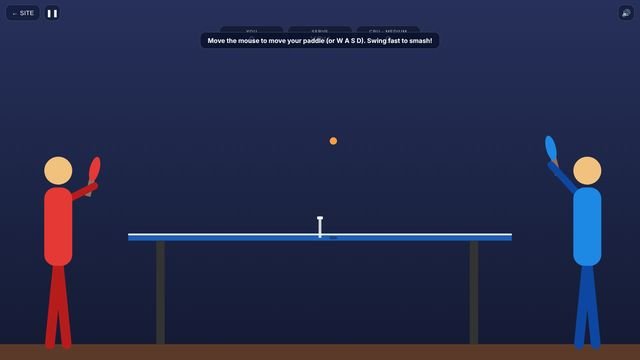
Our ping pong games range from proper table tennis to pure arcade fun. Ping Pong Pro is 3D table tennis against the computer, with a tournament and a rally challenge. Table Tennis Rally shows the game side-on, with real bounces, smashes, target practice and a 2-player mode.
For retro fans, Retro Pong is the classic paddle game with power-ups and 2 players, and Quad Pong puts four paddles in one arena. Cup Pong is a family-friendly ball-toss game with water cups, and Paddle Juggle asks how many times you can bounce the ball on your paddle.
Play Ping Pong Pro now
Ping Pong Pro is free, loads in seconds and works on your phone, tablet or computer.
A short history of ping pong games
Table tennis began in Victorian England in the 1880s as an after-dinner game played on dining tables, with books as the net. The name "Ping-Pong" was trademarked in 1901 by J. Jaques & Son and licensed in the US to Parker Brothers, which is why the sport's official name became table tennis. The International Table Tennis Federation was founded in 1926, and table tennis became an Olympic sport in 1988.
Ping pong also played a famous part in video game history. Tennis for Two (1958) showed a ball bouncing over a net on an oscilloscope, the Magnavox Odyssey (1972) included a table tennis game, and Atari's Pong (1972) became the first big commercial arcade hit.
Types of ping pong games
"Ping Pong games" covers several styles. Here are the main ones, and where our games fit.
Table tennis simulations
Realistic tables, bounces and scoring to 11.
Pong and paddle games
Simple paddles, a ball and fast reflexes.
Multiplayer paddle games
Two or four paddles on one screen.
Ball-toss games
Throw a ping pong ball into cups.
Skill challenges
Keepy-uppy, rallies and target practice.
How to get better at ping pong games
- Watch the bounce, not the opponent. Move to where the ball will be after it bounces.
- Use the edge of the paddle to aim. In Pong-style games, hitting near the end sends the ball at a sharper angle.
- Recover to the middle. After each shot, move back to the centre to cover both sides.
- Save the smash. Smash high balls, but play safe returns on low ones.
- Same swipe, same result. In Cup Pong and Paddle Juggle, a consistent motion gives consistent results.
For game-specific advice, see the tips section on the Ping Pong Pro page.
Playing ping pong games on a phone vs a computer
| Phone or tablet | Laptop or desktop | |
|---|---|---|
| Controls | Touch: tap, swipe or drag | Keyboard and mouse |
| Best for | Short sessions anywhere | Longer sessions on a bigger screen |
| Tip | Turn on landscape for a wider view where the game supports it | Use the full-window button for an immersive view |
| Progress | Saved in that phone's browser | Saved in that computer's browser |
Progress is saved per browser, so your phone and your computer keep separate saves. See Help for more.
Ping Pong games FAQ
Are the ping pong games free?
Yes. Every ping pong game on Playnest is free to play in your browser, with no download and no purchases.
Is ping pong the same as table tennis?
Yes. Ping-Pong started as a brand name; the sport is officially called table tennis.
Can two people play on one device?
Yes. Retro Pong and Table Tennis Rally have same-screen 2-player modes.
Is Cup Pong suitable for kids?
Yes. Our Cup Pong uses cups of water and is a simple aiming game.
Can I play on my phone?
Yes. All of our ping pong games work with touch controls, and with a mouse or keyboard on a computer.
Want a game we have not made yet?
We are a small studio and we build what players ask for. Suggest a ping pong game, or get an email when new games launch.